Access decisions are scattered
Departments, vendors, and site owners make permission choices independently.
 AAM
AAMAAM / Enterprise
Know what people and integrations can do. Establish least-privilege rules across critical WordPress operations, investigate risky access, and give your teams a governance practice they can explain.
A governance layer for WordPress operations
The challenge
Even one business-critical WordPress installation can involve many teams, extensions, credentials, and access paths. The question is whether each decision is visible and intentional.
Departments, vendors, and site owners make permission choices independently.
Role changes, direct capabilities, and old accounts can leave people with more access than they need.
APIs, application credentials, and integrations can act with WordPress authority too.
Security teams need to explain what access is effective and how issues are found and corrected.
A practical governance cycle
Use a repeatable process to move from scattered permissions to access decisions your WordPress and security teams can review together.
Review identities, roles, and the site’s access configuration.
Trace capabilities and effective access, including inherited rules.
Apply precise restrictions and documented JSON Access Policies.
Recheck configurations, test decisions, and review audit findings.
Repeat the cycle as people, integrations, and business needs change.
What AAM brings to the work
AAM combines role and capability management, restrictions for WordPress operations and API routes, JSON Access Policies, and a security audit that surfaces access configuration risks.
AAM governs authorization inside WordPress. It works alongside your identity provider and authentication systems.
Explore AAM Premium capabilities ↗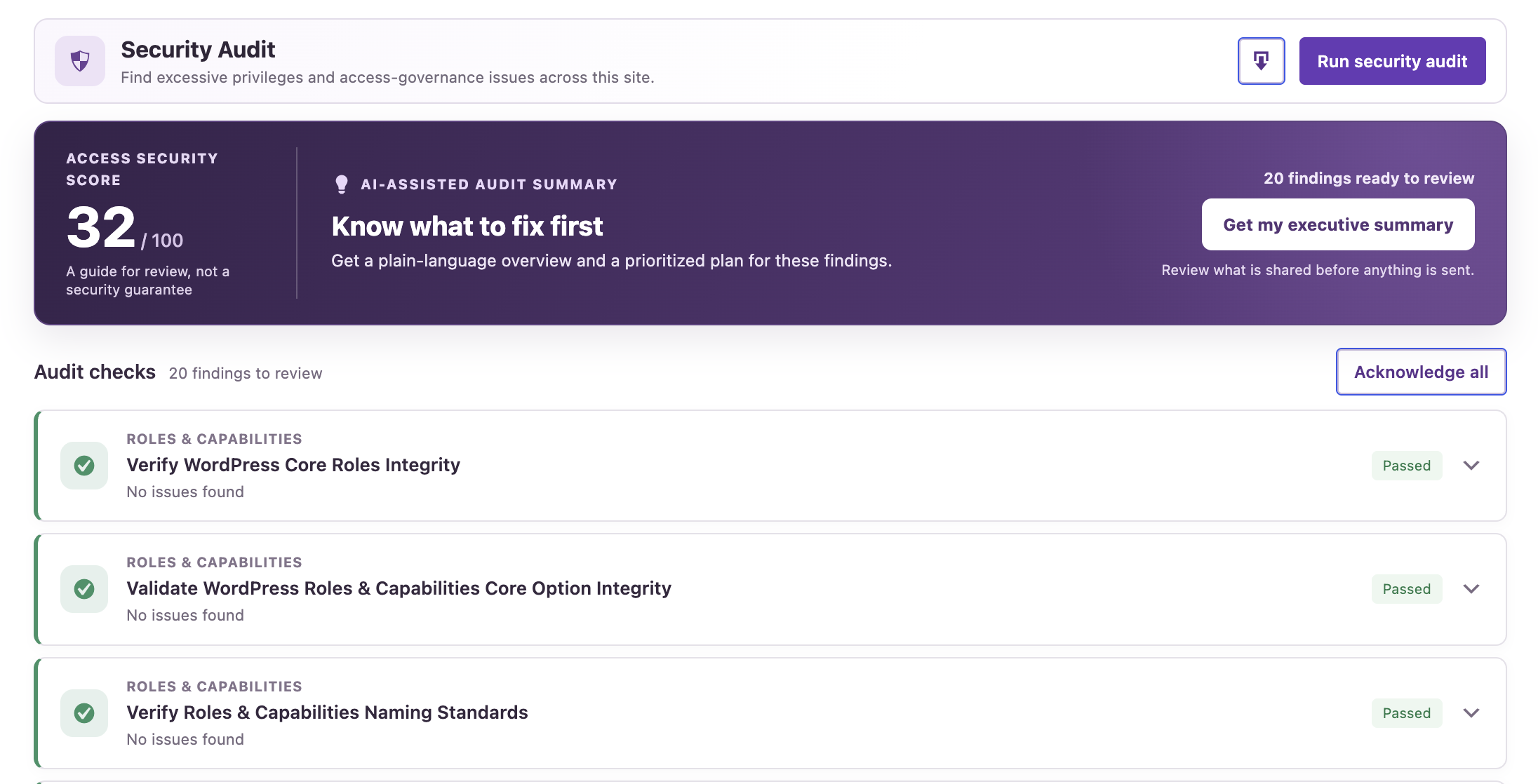
Where this becomes real
These are examples of where more precise access decisions can help. The right controls depend on how your WordPress environment is built.
Give authors, editors, and external contributors the access their responsibilities require, without broad administrative authority.
Support different access needs for communications, marketing, regional, and operational teams on WordPress.
Review what application credentials and integrations can do through supported WordPress operations and API routes.
Apply least-privilege thinking to the WordPress identities and API access used by tools and agent workflows.
Governance as code
JSON Access Policies capture restrictions as portable, self-documented definitions. Your team can review a policy, adapt it to a WordPress environment, apply it through AAM, and test the resulting access decisions.
This is a team workflow, not a claim of automated deployment or centralized policy distribution.
Explore JSON Access Policies ↗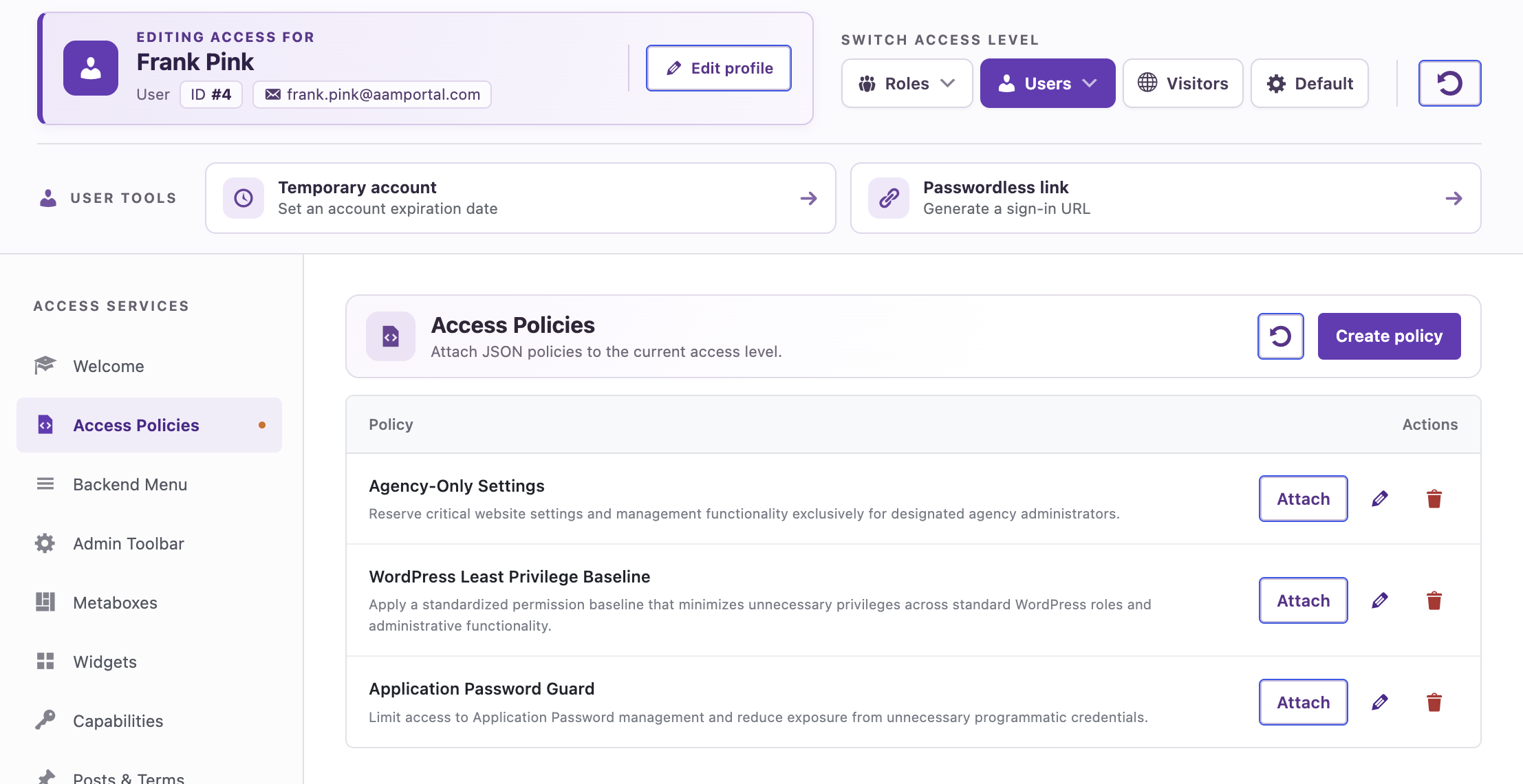
Technology and expertise
Start with the area that needs attention. We can scope product coverage and hands-on work with your team, with deliverables and support responsibilities defined together.
Shape software licensing, site scope, updates, and a defined support path around your environment.
Scope a review of selected identities, capabilities, API exposure, and configuration risks, with prioritized findings.
Work through permission models, policy design, rollout, and verification with your engineers.
Help administrators, developers, and security owners share a practical understanding of WordPress access.
A clear evaluation path
We’ll understand your architecture and priorities, select a focused use case to evaluate, then define what success and a broader rollout would require.
Let’s start with the real access question
Tell us about your environment and the decision you need to make. We’ll work out a useful first step together.